 GameKeepr
Roles and permissions
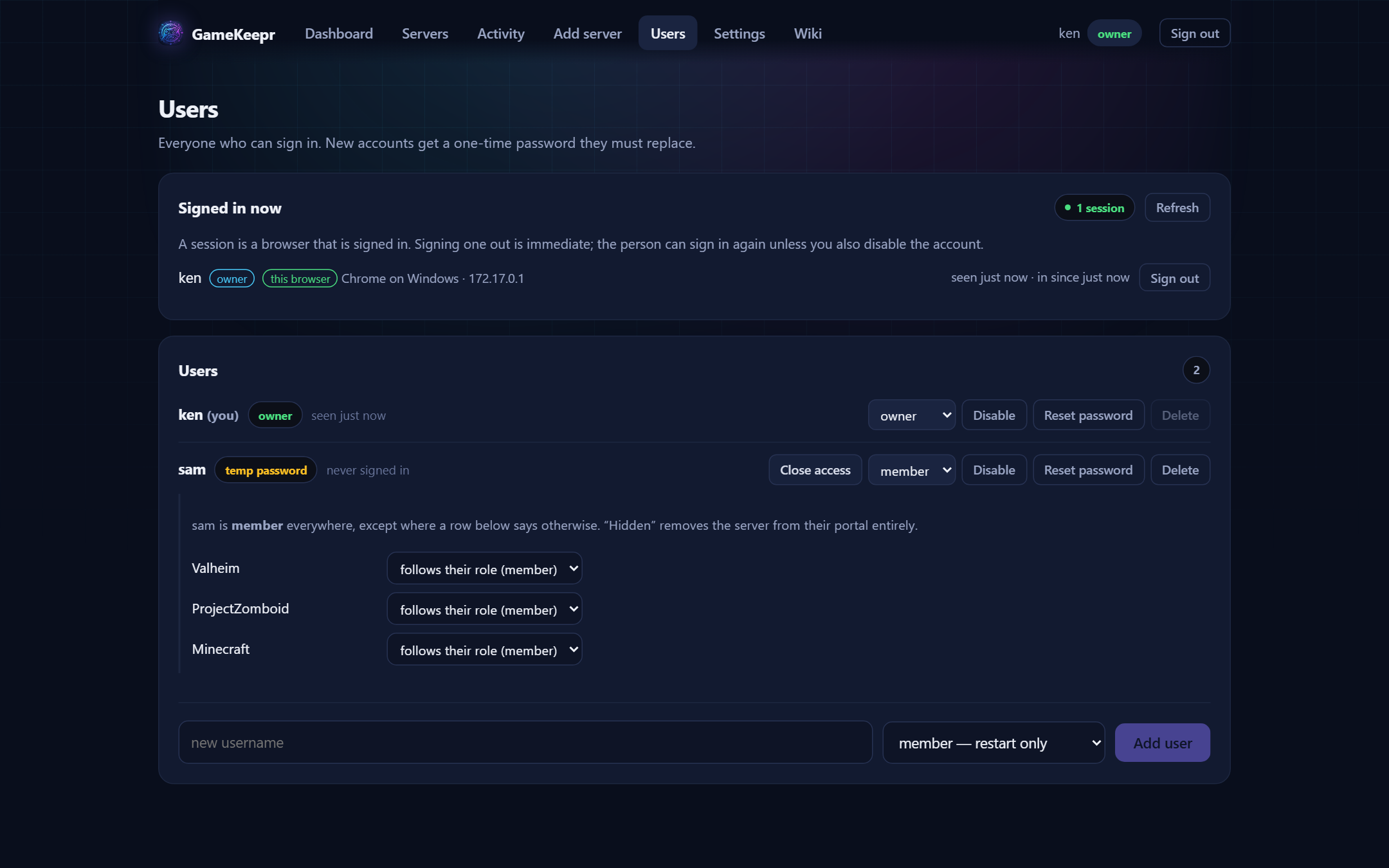
GameKeepr has three roles. The idea behind them: restarting is self-healing and safe for everyone; changing what a server runs is not; and accounts and platform settings belong to whoever owns the machine.
| Capability | Member | Operator | Owner |
|---|---|---|---|
| See servers, players, activity | ✓ | ✓ | ✓ |
| Restart a server | ✓ | ✓ | ✓ |
| Start / stop servers | ✓ | ✓ | |
| Logs, console, files, settings | ✓ | ✓ | |
| Mods, schedules, backups | ✓ | ✓ | |
| Install / remove servers | ✓ | ✓ | |
| Override the restart cooldown | ✓ | ✓ | |
| Manage users and their access | ✓ | ||
| Platform settings and integrations | ✓ |
Per-server exceptions
The role is the rule; the owner can add an exception per server:
- Operator of one server — "Sam runs the Valheim box" while staying a member elsewhere.
- Member on one server — may restart it, but not reconfigure it.
- Hidden — the server does not exist for that user. It is absent from their lists, dashboard and activity feed, and its pages answer as if the address were wrong. Hidden means hidden, not greyed out.
Owners cannot be given exceptions: whoever owns the machine owns every server on it.
The wiki follows the same rule
The pages listed in this wiki depend on your role. A member reads how to use the portal; an operator also reads how to operate servers; an owner also reads how to set the platform up. Pages your role does not reach are not listed and not reachable.